The Ultimate Guide to Graphic Design Software in 2025
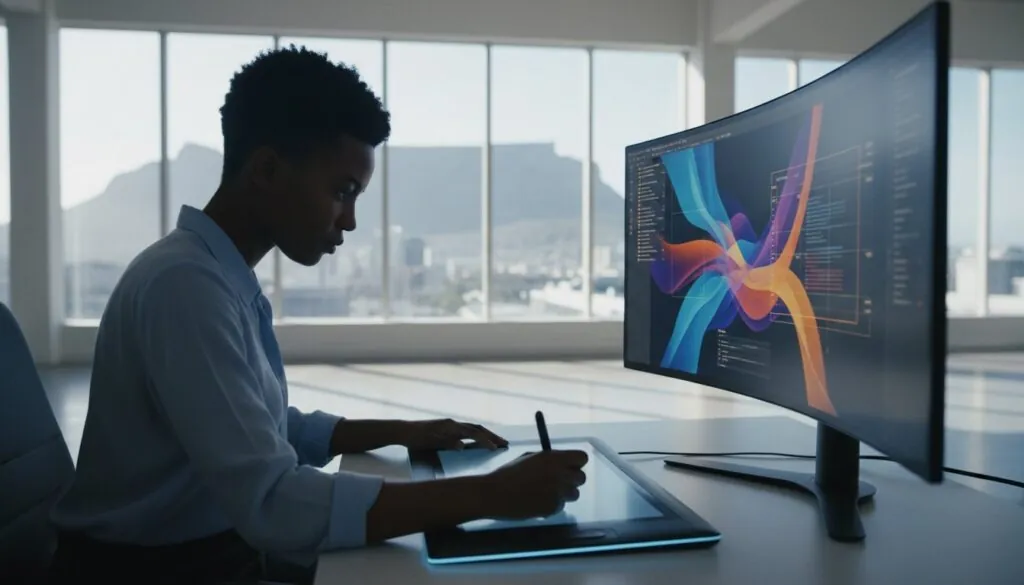
Diving into the world of graphic design can feel like a huge, exciting adventure! But with so many tools and options out there, it’s easy to feel a little lost. Don’t worry, we’ve got your back. This guide is here to help you discover the best graphic design software to fuel your creativity, whether you’re just starting out or you’re a seasoned pro. Let’s have some fun and find the perfect tool for you!
Understanding Graphic Design Software: An Overview
So, what exactly is graphic design software? Think of it as your digital art studio. It’s a set of tools that lets you create, edit, and manage visual content like logos, website layouts, social media posts, and brochures. From crafting a simple icon to designing a full-blown marketing campaign, this software is the engine behind almost every visual you see online and in print. Choosing the right tool is super important because it can make the difference between a frustrating process and a fun, creative flow that brings your amazing ideas to life.
Key Features to Look For
When you’re shopping around, keep an eye out for these key features. It’s not about having the most features, but the right ones for you.
- User-friendly interface: You want software that feels intuitive and easy to navigate. A clean layout helps you find tools quickly so you can focus on creating, not searching through menus.
- Variety of design tools: A good program should have a solid set of tools for drawing, typography, color manipulation, and layout. The more versatile the toolbox, the more creative freedom you have.
- Compatibility with other software: It’s a huge plus if your software can easily import and export different file types (like PDFs, JPEGs, and SVGs) and works well with other programs you might use.
Types of Graphic Design Software
Graphic design software generally falls into a few different categories. Understanding them will help you narrow down your search.
- Vector vs. Raster graphics: Raster software (like Photoshop) uses pixels, which is great for photos. Vector software (like Illustrator) uses mathematical equations, meaning you can scale your designs to any size without losing quality-perfect for logos!
- Paid vs. Free software: Premium, paid software usually offers more power and support, but there are some fantastic free options that are perfect for beginners or those on a tight budget.
- Desktop vs. Cloud-based solutions: Desktop apps are installed on your computer, while cloud-based tools run in your web browser. Cloud solutions are amazing for collaboration and accessing your work from anywhere.
Top Graphic Design Software for 2025
Ready to meet the stars of the show? We’ve explored the options and picked out our top choices for 2025. Each one has its own unique strengths, so let’s find your perfect match.
Adobe Creative Cloud: The Industry Standard
When you think of graphic design, you probably think of Adobe. Their Creative Cloud suite (including Photoshop, Illustrator, and InDesign) is the undisputed industry standard for a reason. It offers a comprehensive set of incredibly powerful tools for any project you can dream up. It’s the go-to for most professionals, but its power comes with a subscription cost and a bit of a learning curve. If you’re serious about design, though, it’s an investment that’s hard to beat.
Affinity Designer: A Budget-Friendly Alternative
Looking for professional power without the monthly fee? Say hello to Affinity Designer! This software is a seriously impressive competitor to Adobe Illustrator, offering robust vector design tools that are perfect for illustrators and UI designers. The best part? You buy it once, and it’s yours forever. It’s a fantastic, budget-friendly choice that doesn’t compromise on quality.
Canva: Perfect for Beginners
If you’re new to design and just want to create beautiful graphics without the headache, Canva is your new best friend. Its simple drag-and-drop interface and massive library of templates make it incredibly easy to create professional-looking social media posts, presentations, and flyers in minutes. While it doesn’t have the advanced features of Adobe or Affinity, it’s the perfect tool for non-designers and small business owners who need great visuals, fast.
Free Graphic Design Software: What Are Your Options?
You don’t need a big budget to start creating! There are some amazing free tools out there that pack a serious punch. You might have to accept a few trade-offs, like a steeper learning curve or fewer features, but they are more than capable of producing professional results.
GIMP: The Open-Source Choice
GIMP (GNU Image Manipulation Program) is often called the best free alternative to Adobe Photoshop. It’s an open-source raster graphics editor with a ton of powerful features for photo retouching, image composition, and authoring. It does have a bit of a learning curve, but if you’re willing to put in the time, it’s an incredibly capable tool for photo editing and digital art.
Krita: For Digital Painting
If you’re an artist or illustrator, you’ll fall in love with Krita. It’s a free, open-source digital painting program designed specifically for cartoonists, illustrators, and concept artists. With an intuitive interface and a huge range of brushes and tools focused on painting and drawing, it’s a top choice for anyone looking to create digital art from scratch.
How to Choose the Right Software for Your Needs
Okay, so how do you pick just one? The best software for you depends entirely on your personal needs. Before you decide, think about your main design goals (what will you be creating?), your budget, and your current skill level. Being honest about these three things will point you in the right direction. The same logic applies when you choose a partner to build your site, which is why our website design packages are tiered to match different goals and budgets.
For Beginners: Ease of Use
If you’re just starting, prioritize simplicity. Look for software with an intuitive, clean interface that won’t overwhelm you. Tools with built-in templates and lots of helpful tutorials (like Canva) are a great way to learn the ropes. Starting with a free or low-cost option lets you experiment without a big financial commitment. If your goal is a small site to showcase that early work, a 1-3 page website is an affordable place to begin.
For Professionals: Advanced Features
If you’re a pro, your needs are different. You’ll want to evaluate the software’s advanced capabilities, like complex vector manipulation, detailed typography controls, and color management systems. Consider how well it integrates with other tools in your workflow. For you, balancing the subscription cost with the power and efficiency the software provides is key. When it’s time to sell your work or services online, an e-commerce website gives you the storefront to do it properly.
Future Trends in Graphic Design Software
The world of design is always evolving, and the software is too! Keeping an eye on emerging technologies can give you a creative edge. Let’s peek into what’s new and exciting for 2025 and beyond.
AI-Powered Design Tools
Artificial Intelligence is no longer sci-fi-it’s here, and it’s changing the game. AI-powered tools can help automate repetitive tasks like resizing images, suggest color palettes, and even generate design ideas from a simple text prompt. It’s like having a super-smart assistant that helps enhance your creativity.
Cloud-Based Solutions
More and more software is moving to the cloud, and for good reason! Cloud-based tools let you access your projects and work from any device with an internet connection. They also make real-time collaboration with teammates and clients a breeze. Just be sure to factor in the ongoing subscription costs that often come with these services - the same is true for the web hosting that keeps your finished designs live online.
Frequently Asked Questions
Still have a few questions? No problem! Here are answers to some of the most common ones we hear.
What is the best graphic design software for beginners?
For absolute beginners, we highly recommend Canva. Its template-based system and drag-and-drop interface make it incredibly easy to get started and create beautiful designs right away.
Can free graphic design software compete with paid versions?
Yes, absolutely! Tools like GIMP and Krita are extremely powerful and can produce professional-grade work. Paid software usually offers a more polished user experience, better support, and seamless integration with other apps, but the gap in pure capability is smaller than ever.
How do I choose the right graphic design software?
Think about three things: what you want to create, how much you want to spend, and your comfort level with technology. Your answers will guide you to the perfect tool, whether it’s a simple online editor or a full professional suite.
What are the benefits of cloud-based design tools?
The biggest benefits are accessibility and collaboration. You can work on your designs from anywhere, on any computer, and easily share your work with others for feedback or co-editing in real-time.
How is AI changing graphic design software?
AI is becoming a creative partner. It helps speed up workflows by automating tedious tasks and offers new ways to brainstorm and generate ideas, allowing designers to focus more on the creative and strategic parts of their job.
Bring Your Designs to Life Online
Choosing the right graphic design software is a big step, but it should be a fun one! We hope this guide has made the process feel a little less daunting and a lot more exciting. If you’re looking to bring your creative visions to life on a brand new website, our team is passionate about making that happen.
Build a professional online presence with JWD Website Design. We create high-quality WordPress websites and graphic design solutions for South African businesses - from branding to web design to SEO. Browse our business website options, explore the full shop, or get a free quote and we’ll help you create something amazing.