Website Maintenance Checklist: What South African Business Owners Can Do Themselves

You built the website. You launched it. You celebrated with a braai. And then… you kind of forgot about it.
Sound familiar? You are not alone. Most South African business owners treat their website like a microwave - set it up once and expect it to just work forever. The problem is that websites are more like gardens than microwaves. Leave them unattended and things start dying pretty quickly.
The good news is that a lot of basic website maintenance is genuinely something you can handle yourself, without needing a developer on speed dial. This checklist breaks it all down into monthly, quarterly, and yearly tasks that are realistic for a busy business owner to manage.
If you want to understand what the more technical stuff involves and what it costs to outsource it, read our pillar guide: Website Maintenance: What You’re Really Paying For. This post focuses on the practical, hands-on tasks you can tick off yourself.
Why Bother With Regular Maintenance at All?
Before we get to the checklist, let’s talk about why this matters.
Your website faces a steady stream of threats and decay, even when nothing dramatic happens. Plugin developers push security patches. WordPress releases core updates. Your contact form quietly stops sending emails. An image link breaks. A blog post from 2021 still recommends a business that closed down. Google notices all of this.
A neglected website loses trust - with visitors who hit errors, with Google who sees a stale site, and with potential customers who wonder if you are even still open.
The tasks on this checklist are not glamorous. But they take less than two hours a month once you have the habit, and they protect an asset you spent real money building.
Your Monthly Website Maintenance Checklist
These are the tasks that need to happen every single month without fail. Block 30-60 minutes in your calendar, pour a strong coffee, and work through the list.
1. Confirm Your Backups Are Actually Working
This is the number-one thing most people skip, and the number-one thing they desperately wish they had not skipped when something goes wrong.
Having a backup plugin is not the same as having working backups. Plugins fail. Storage limits get hit. Settings change after updates.
What to do: Log into your WordPress dashboard and check your backup plugin (UpdraftPlus, Jetpack, Solid Backups, or whatever you use). Confirm that a recent backup completed successfully. The timestamp should be from the last 24-48 hours if you have daily backups set up, or from the last 7 days for weekly. Bonus points if you download the backup file and confirm it is not corrupted and not zero bytes.
If you do not have automated backups running, stop reading this article right now and set that up first. Everything else on this list is secondary.
2. Run Your Plugin, Theme, and Core Updates
Outdated software is how most WordPress sites get hacked. Developers release updates to patch security holes, and hackers know exactly which old versions have vulnerabilities. Running on outdated plugins is like leaving your shop door unlocked at night.
What to do: Go to Dashboard > Updates in your WordPress admin. Not sure how to get in? Our guide to logging in to your WordPress website covers it. Before hitting “Update All”, do a manual backup right now (yes, even if you have automated backups). Then run the updates. After updating, click through your homepage, contact page, and any forms to confirm nothing broke.
If you have a staging environment, run updates there first. If you do not, still run the updates - an occasional breakage is less damaging than the permanent damage of a hack.
3. Test Your Contact Forms
Your contact form is a lead-generation machine. A broken contact form is a lead-killing machine. And the really painful part? You will not know it is broken unless you test it yourself.
What to do: Go to your contact page and fill in the form as a customer would. Use a personal email address so you can confirm the email arrives in your inbox. Check that the auto-reply sends too, if you have one set up. Do the same for any other forms on your site - quote request forms, booking forms, newsletter signups.
While you are at it, check that the email address these forms send to is still the right one. Business email addresses change, people leave, inboxes fill up.
4. Check Your Site Speed
A slow website is a quiet disaster. South African internet speeds vary a lot, and visitors on mobile connections or in areas with weaker signal will abandon your site fast if it takes more than 3-4 seconds to load.
What to do: Open Google PageSpeed Insights (pagespeed.web.dev) and paste in your homepage URL. Note your scores for mobile and desktop. You are looking for a mobile score above 70 and a desktop score above 85. If your scores are lower than that, the tool will show you exactly what is dragging performance down.
Check your site speed every month even if you have not made changes - hosting performance fluctuates, third-party scripts slow down, and images get added without being compressed. For a deeper dive into what affects your site’s technical performance, our technical SEO checklist for South African websites covers page speed alongside crawlability and other ranking factors.
5. Glance at Your Google Analytics
You do not need to become a data analyst. But spending five minutes looking at your analytics each month will tell you whether your website is moving in the right direction.
What to do: Log into Google Analytics (GA4) and check three things. First, are overall sessions/users trending up, flat, or down compared to last month? Second, what is your bounce rate or engagement rate - are visitors sticking around or leaving immediately? Third, which pages are getting the most traffic?
If you see a sudden drop in traffic to a specific page, that is a signal something changed - maybe the page got accidentally set to “noindex”, or a search ranking dropped, or a link you relied on for traffic disappeared.
Your Quarterly Website Maintenance Checklist
These tasks do not need to happen monthly, but skipping them for six months or more creates real problems.
6. Scan for Broken Links
Links rot. External websites shut down. You rename an internal page and forget to update the old links. What was a useful resource in 2023 is now a 404 error.
What to do: Install a plugin like Broken Link Checker (for WordPress), or use a free tool like Ahrefs Broken Link Checker or Screaming Frog’s free version (crawls up to 500 URLs). Run a scan every quarter and fix or remove any broken links you find.
Broken links are bad for two reasons - they frustrate visitors who click them expecting useful content, and they signal to Google that your site is not well-maintained.
7. Review Your Content for Outdated Information
This one sounds obvious but gets skipped constantly. Businesses change. Prices change. Laws change. Staff change. Products get discontinued. If your website still references things that are no longer accurate, you are misleading potential customers.
What to do: Go through your main service pages, your about page, and your most-visited blog posts. Check that prices are current. Check that staff names and photos are still accurate. Check that any references to third parties (suppliers, partners, software tools) are still valid. Update your copyright year in the footer if it is not dynamic.
If you have blog posts that reference specific statistics or dates (like “in 2022, X percentage of SA businesses…”), either update the figures or add a note about when the article was written.
8. Review Your Security Settings
Good website security is not a one-and-done setup. It needs a regular look. For a thorough breakdown of what website security involves for South African businesses, read our guide on website security for South African businesses.
What to do as a DIY check: Confirm your WordPress admin URL is not the default /wp-admin/ if you have changed it. Check that two-factor authentication is enabled on your admin account. Look at your security plugin’s logs for any unusual activity - failed login attempts clustering around specific times or IPs are worth noting. Make sure you do not have any inactive plugins or themes sitting around - delete them, not just deactivate.
Also confirm your SSL certificate is valid and not about to expire. You can check this by looking at the padlock icon in your browser - click it and check the certificate expiry date.
9. Check Google Search Console for Issues
Google Search Console is a free tool that gives you a direct line to what Google thinks about your site. Most business owners set it up, get the verification email, and then never log back in.
What to do: Log into Search Console and check the Coverage report for any errors or warnings. Look for pages that are excluded from indexing that should not be. Check the Core Web Vitals report to see if Google is flagging any pages as poor. Look at the Manual Actions report - if you have one, that is urgent and means Google has applied a penalty to your site.
While you are there, check which queries are driving clicks. You might discover you are ranking for keywords you had no idea about, which can inform your content strategy.
10. Review Your Hosting Performance and Storage
Cheap shared hosting starts to creak under the weight of a growing WordPress site. And if your hosting storage fills up, your site can go down entirely.
What to do: Log into your hosting control panel (cPanel, Plesk, or your host’s custom dashboard) and check your disk space usage. If you are above 80% full, it is time to either clean up or upgrade. Check your bandwidth usage too - spikes can indicate unusual traffic or a bot problem.
If you are on South African hosting (Afrihost, Hetzner SA, Web4Africa, etc.) and your site still feels sluggish for local visitors despite a good PageSpeed score, it might be worth reviewing whether your hosting plan is still the right fit for your current traffic levels.
Your Yearly Website Maintenance Checklist
Once a year, set aside a couple of hours for a proper sit-down review of your site’s health and strategy.
11. Full Site Audit
Walk through every page of your website as a fresh visitor would. Click every navigation item. Read every page. Look for outdated design elements, broken images, inconsistent branding, confusing copy, or anything that makes you wince.
Pay particular attention to your homepage and your main service or product pages. These are what most visitors see first. If they feel dated, underinvesting in a refresh could be costing you more in lost conversions than a small update would cost.
12. Review and Update Your Meta Titles and Descriptions
Every page on your site has a meta title and description - the text that appears in Google search results. These should be reviewed annually because your business changes, Google’s preferences shift, and what made sense in your title tag two years ago might not be optimal now.
What to do: Use your SEO plugin (Rank Math, Yoast, or similar) to review the titles and descriptions on your most important pages. Make sure they are within character limits (roughly 60 characters for titles, 155 for descriptions), include your primary keyword naturally, and have a clear reason to click. Also check that your local keywords (like “Cape Town” or “Johannesburg” or “South Africa”) appear where relevant.
13. Review Your Google Business Profile
If you serve local customers, your Google Business Profile is arguably as important as your website. And it needs maintenance just like your site does.
What to do: Log into Google Business Profile and check that your hours are accurate (including holiday hours). Confirm your address, phone number, and website URL are correct. Look at your photos - add fresh ones if you have not uploaded anything in six months. Check your reviews and respond to any that are still unanswered.
Inconsistent information between your website and your Google Business Profile confuses both visitors and Google, and it can hurt your local search rankings.
14. Check for Domain and Hosting Renewals
This should be obvious, but every year South African business owners let their domains lapse and their websites disappear. Put your domain renewal date in your phone calendar with a two-month reminder. Same for your hosting contract.
What to do: Log into your domain registrar and hosting account and note the renewal dates for everything. If auto-renewal is enabled, confirm the payment card on file is still valid and has not expired. A lapsed domain is not just an inconvenience - recovering a lapsed domain can be expensive, and in some cases other parties can register it.
When to Hand It Over to a Professional
This checklist covers the tasks that a non-technical business owner can realistically handle. But there is a line where DIY maintenance ends and professional help becomes worth it.
Consider bringing in a developer or maintenance agency when:
- You are seeing actual security incidents - malware, defacements, spam link injections, or sudden traffic drops that suggest a hack
- A plugin or theme update breaks your site and you cannot identify what went wrong
- Your PageSpeed scores stay poor despite basic optimisations and you cannot pinpoint why
- You want to make structural changes to your site - new pages, redesigned sections, new functionality
- You simply do not have the time and the tasks above are consistently not getting done
For a full breakdown of what professional maintenance actually involves and what realistic costs look like in South Africa, read our guide: Website Maintenance: What You’re Really Paying For.
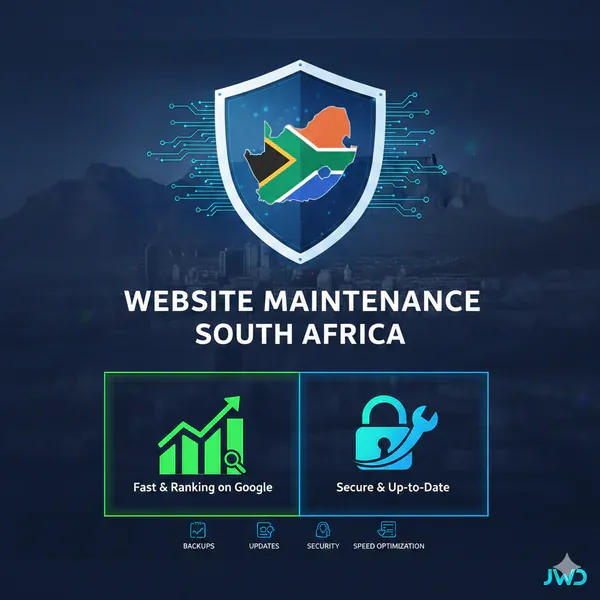
If you would rather hand off the whole checklist, our website maintenance South Africa service explains exactly what professional care covers, and our website maintenance plans cover all of this and more, so you can focus on running your business.
Quick Reference: The Full Checklist at a Glance
Every month:
- Confirm backups completed successfully
- Run plugin, theme, and core updates
- Test all contact and lead-capture forms
- Check site speed in Google PageSpeed Insights
- Review Google Analytics for traffic trends
Every quarter:
- Scan for and fix broken links
- Review content for outdated information
- Review security settings and plugin logs
- Check Google Search Console for errors and warnings
- Review hosting storage and performance
Every year:
- Full site walkthrough as a visitor
- Review and refresh meta titles and descriptions
- Audit your Google Business Profile
- Confirm domain and hosting renewal dates
Frequently Asked Questions
How long does a DIY website maintenance checklist take each month?
Once you have done it a few times and know where everything lives, the monthly tasks take 30-60 minutes. The first time takes longer because you are learning your way around the tools. Quarterly and yearly sessions add a few hours each, but spread out over the year, the total time commitment is manageable for most business owners.
Do I need any paid tools to follow this checklist?
No. The core tasks use free tools - Google PageSpeed Insights, Google Search Console, Google Analytics, and your existing WordPress dashboard. Broken link checking can be done with free tools or free tiers of paid tools. The only investment is your time.
What is the most important item on the website maintenance checklist?
Backups. Everything else on this list is about preventing problems or catching them early. Backups are your safety net when something does go wrong despite your best efforts. Without a working backup, a hacked or broken site can mean starting from scratch.
Can I do website maintenance for a WooCommerce store myself?
You can handle the same tasks listed here - backups, updates, speed checks, security reviews. However, e-commerce sites carry extra complexity. Payment gateway integrations need testing after updates. Stock levels need monitoring. Order confirmation emails need testing regularly. If your online store generates meaningful revenue, the risk of something breaking undetected is higher, and professional maintenance starts to make more financial sense.
How do I know if my website has been hacked?
Common signs include: sudden drops in Google search rankings, pages being flagged as dangerous by browsers, strange new content appearing on your site, visitors reporting being redirected to other websites, or your hosting provider suspending your account. If you suspect a hack, read our guide on website security for South African businesses for immediate steps to take.
Is it worth paying for professional website maintenance instead of doing it myself?
That depends on how much your time is worth and how critical your website is to your business. If your website generates leads or sales and going down for a day would cost you significantly, professional maintenance is probably worth it. If your site is a simple brochure site and you are comfortable following a checklist, DIY is perfectly reasonable. Many business owners start DIY and graduate to a maintenance plan as their site and business grow.
How often should I update WordPress plugins?
As soon as updates are available, particularly for security-related updates. For non-security updates, once a week or once a fortnight is a reasonable rhythm. The longer you wait, the more updates stack up, and updating twelve plugins at once carries more risk than updating two at a time. Always back up before updating.
Keeping your website healthy does not require a computer science degree. It requires consistency - showing up regularly, working through the checklist, and catching small problems before they become expensive ones.
If you have questions about your specific site or want to chat about whether a professional maintenance plan would suit your business, get in touch with us or request a quote and we will give you a straight answer.
Build a Professional Online Presence With JWD
JWD Website Design creates high-quality websites and digital solutions for South African businesses. From web design to SEO to ongoing maintenance, we help you show up and stand out online.
Browse all our website design and maintenance packages or request a free quote today.