
Your Essential Website Visuals Guide - Images, Videos & Branding
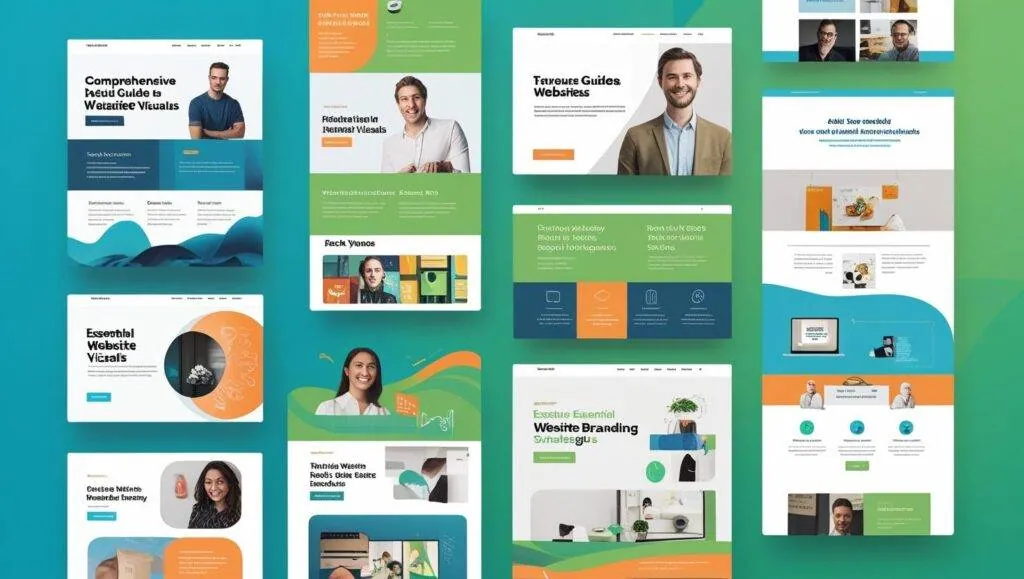
Welcome back to our Website Planning Guide series! In Part 1, we defined your core business goals and audience. Part 2 helped you envision your website’s design and features, and Part 3 guided you through crafting engaging text content. Now, in Part 4, we turn our attention to the visuals - the images, videos, and branding elements that will truly make your website come alive. This comprehensive Website Visuals Guide is here to simplify the process.
Visuals are incredibly powerful. They capture attention, convey emotion, and communicate complex ideas far faster than text alone. They are key Website Design Features that make an immediate impact. Your website’s images, videos, and consistent branding are essential for building trust, showcasing professionalism, and creating a memorable experience for your visitors. Let this Website Visuals Guide walk you through how to prepare these critical assets.
Seeing is Believing: The Impact of Your Website’s Visual Story
Just as compelling text guides your visitors, high-quality visuals engage them emotionally and convey your brand’s essence. This section of our Website Visuals Guide covers all the assets you’ll need. If you are still choosing a build, browse our website design packages to see what is included.
Q1: What Logo Files Do You Need for Your Website?
Your logo is the cornerstone of your brand identity. Having the correct file types is crucial for ensuring it looks crisp and professional everywhere on your site. This is a fundamental part of any good Website Visuals Guide.
Understanding Logo File Types
- Vector Files (.AI, .EPS, .SVG): These files are based on mathematical equations, meaning they can be scaled to any size (from a favicon to a billboard) without losing quality or becoming pixelated. They are perfect for print and for responsive web design where logos might need to resize. Always provide your vector logo as part of your Website Visuals Guide submission.
- Raster Files (.PNG, .JPG): These are pixel-based images.
- .PNG (Portable Network Graphics): Ideal for web use, especially for logos, because they support transparency. This means your logo can appear seamlessly on any background color or image without a white box around it. Provide a high-resolution .PNG with a transparent background.
- .JPG (Joint Photographic Experts Group): Best for photographs, as they compress well, but they don’t support transparency and can lose quality with repeated saving. Not ideal for logos on their own, but useful if your logo is part of a larger photo.
Logo Variations
- Primary Logo: Your main, full-color logo.
- Alternate Logos: Do you have a version for dark backgrounds, a simplified version, or a stacked/horizontal variant?
- Favicon: This is the small icon that appears in the browser tab next to your website’s title. It’s usually a simplified, square version of your logo.
Why correct logo files matter for your Website Visuals Guide: using the right logo files ensures your brand looks sharp and consistent across all devices and screen sizes. It’s a key element for professional Website Design Features.
Q2: Understanding and Providing Your Brand Guidelines
If you have established brand guidelines, they are invaluable for maintaining consistency in your website’s design. If not, this section of your Website Visuals Guide will help you think about core elements.
What are brand guidelines? These are a set of rules and standards that define how your brand is presented visually and verbally. They typically include:
- Logo Usage: Rules on minimum size, clear space around the logo, and approved color variations.
- Colour Palette: Exact color codes (Hex codes like #FFFFFF, RGB values) for your primary, secondary, and accent colors.
- Typography: The specific fonts to be used for headlines, body text, and accents, along with rules for their hierarchy and sizing.
- Imagery Style: Guidelines for the type of photography or illustration that aligns with your brand personality (e.g., bright & airy, dark & moody, abstract).
- Tone of Voice: (Covered in Part 3’s Website Content Guide) how your brand “speaks.”
Why are Brand Guidelines Crucial for Your Website Visuals Guide?
- Consistency: Ensures your website looks cohesive with all your other marketing materials (business cards, social media, brochures).
- Brand Recognition: Consistent branding makes your business instantly recognizable.
- Efficiency: Speeds up the design process, as designers already know your aesthetic preferences.
Even if you don’t have a formal document, providing us with your preferred color codes and font names is a great start for your Website Visuals Guide. You can use online tools to find HEX codes if you have specific colours in mind. For inspiration on comprehensive brand guidelines, you can look at examples from companies like Skype’s brand book (an external example).
Q3: Sourcing Photography for Your Website (Professional vs. Stock)
Images are powerful storytelling tools. The quality and style of your photography significantly impact first impressions. This Website Visuals Guide explores your options.
Professional Photography
Benefits: Uniqueness, authenticity, higher quality, perfectly aligned with your brand message, can capture specific products, your team, or your unique office space in Cape Town.
Types of shots to consider:
- Team Headshots: Professional photos of you and your staff build trust.
- Office/Location Shots: If you have a physical presence, show it off.
- Product Photography: High-resolution, well-lit photos of your products from various angles.
- Service in Action: Photos showing your team performing your services or clients benefiting from them.
- Lifestyle Shots: Images that evoke the feeling or lifestyle associated with your brand.
Recommendation: We highly recommend investing in professional photography if your budget allows. It makes a significant difference in perceived quality and authenticity for your Website Visuals Guide. If you need recommendations for photographers in Cape Town, JWD can assist.
Stock Photography
When to use: If professional photography isn’t feasible, high-quality stock photos can be a good alternative for general concepts or backgrounds.
- Pros: Cost-effective, wide variety, immediately available.
- Cons: Can look generic, may not perfectly match your brand, might be used by competitors.
Tips for choosing stock photos:
- Avoid overly “cheesy” or artificial-looking images.
- Look for natural, authentic-looking photos.
- Choose images that align with your brand’s colour palette and tone.
- Ensure proper licensing (royalty-free is generally best for commercial use). Good resources include Unsplash (free) and Shutterstock (paid).
Image optimization (JWD’s role): Don’t worry about resizing or optimizing images for web use. Just provide the highest quality, largest versions you have. Our JWD Website Design team will handle the technical optimization (compression, correct sizing, lazy loading) to ensure fast loading times without sacrificing visual quality. Pairing optimized images with fast local hosting is the best way to keep your pages quick. This technical aspect of the Website Visuals Guide is handled by us.
Q4: Incorporating Video Content into Your Website
Video is an incredibly engaging medium that can significantly enhance user experience and convey information quickly. It’s an increasingly vital component of a comprehensive Website Visuals Guide.
Benefits of Video
- Increased Engagement: Videos capture attention and hold it longer than static images or text.
- Better Understanding: Complex services or products can be explained easily through video demonstrations.
- Emotional Connection: Videos can convey personality and emotion more effectively.
- SEO Boost: Videos hosted on platforms like YouTube can drive additional traffic to your site and keep visitors on your page longer, which Google loves. To get more from this, our SEO services can help your pages rank for the right searches.
Types of Video Content for Your Website Visuals Guide
- Explainer Videos: Briefly describe your business or a specific service.
- Testimonial Videos: Powerful social proof from satisfied clients.
- Product Demos: Show your products in action.
- “Meet the Team” Videos: Introduce your staff and build rapport.
- Virtual Tours: Showcase your physical location (e.g., restaurant, guesthouse, retail store).
How to Provide Video Assets
- Preferred Method: Upload your videos to platforms like YouTube or Vimeo and provide us with the links. This is generally the best approach as these platforms handle hosting and streaming efficiently, saving your website’s bandwidth.
- Raw Files: If you have raw video files (e.g., .MP4, .MOV), you can share them via a cloud service (Google Drive, Dropbox) if they are too large for email. JWD can assist with embedding these.
Key considerations:
- Quality: Aim for good lighting, clear audio, and stable footage.
- Length: Keep videos concise, especially for the homepage. Most web users prefer shorter videos (1-3 minutes).
- Placement: Think about where videos would be most impactful - on your homepage, service pages, product pages, or a dedicated video gallery. Including videos is a great way to boost your Website Design Features.
Why Strong Visuals Are Non-Negotiable
Just like good copy, compelling visuals are not an optional extra; they are fundamental Website Design Features in today’s digital landscape. This Website Visuals Guide emphasizes their importance.
| Why visuals matter | What they do |
|---|---|
| First Impressions | High-quality visuals immediately convey professionalism and attention to detail, making a strong positive first impression |
| Brand Identity & Recognition | Consistent use of your logo, brand colours, and specific image styles reinforces your brand and makes you recognizable |
| Engagement | Engaging images and videos encourage visitors to spend more time on your site, exploring your content |
| Trust & Credibility | Authentic images (especially professional photos of your team or work) build trust far more effectively than generic stock photos |
| Emotional Connection | Visuals can evoke emotions, tell stories, and connect with your audience on a deeper level than text alone |
| SEO Benefits | Relevant images and videos, when properly optimized (with alt text and captions), can improve your search engine rankings and increase visibility. This is a crucial element of any effective Website Planning Guide |
Next Steps for Part 4
Now it’s time to gather all your visual assets for your website! Please compile your logos, brand guidelines (if any), photography, and video links/files.
We recommend organizing these in clearly named folders within a cloud storage service (e.g., Google Drive, Dropbox, OneDrive) and sharing the link with us. For very large files, a file transfer service might be necessary.
Your thoroughness in providing high-quality visual assets is vital for a smooth design process and ensures your website truly shines. This stage of your Website Planning Guide is where your brand’s personality truly comes to life.
Once you have gathered these assets, please notify your JWD Website Design contact. After we review your visuals, we’ll be ready for Part 5: understanding the technical foundations and logistics - your domain name, hosting, and getting ready for launch! If you need any advice on sourcing visuals, don’t hesitate to contact JWD Website Design.
FAQs for Part 4 of Your Website Visuals Guide
Q: Can I just use images from Google search?
A: No, absolutely not! Most images found via Google search are copyrighted. Using them without permission can lead to legal issues and fines. Always use images you have created, licensed (stock photos), or that are explicitly labeled for free commercial use. This is a critical point in any Website Visuals Guide.
Q: What resolution do my photos need to be?
A: Provide the highest resolution versions you have available. Our team at JWD will optimize them for web use, ensuring they look great but load quickly. Sending us low-resolution images means they will appear pixelated or blurry on the website. Good quality original assets are essential for a good Website Visuals Guide.
Q: I don’t have a video. Is it essential?
A: While not strictly “essential” for every website, video content significantly enhances user engagement and can be a powerful marketing tool. If you don’t have one now, it’s something to consider for future updates to your website. It’s a highly recommended Website Design Feature.
Q: What if I don’t have formal brand guidelines?
A: No problem! Many small businesses don’t. Just provide us with your logo files, your preferred colour codes (we can help you find them if you have a specific colour in mind from your existing materials), and the names of any specific fonts you use. This will give us enough information to maintain visual consistency for your Website Visuals Guide.
Q: Will you edit my photos and videos for me?
A: Our service includes optimizing images for web use (resizing, compressing). Basic cropping might be done. However, extensive photo retouching, graphic design work on images, or video editing beyond simple cuts and embeds are usually separate services. Please discuss specific needs with JWD. This Website Visuals Guide focuses on preparing assets, not extensive editing.
Get a Website That Keeps Working for You
JWD Website Design builds and maintains WordPress websites for South African businesses. From initial design to ongoing care, we make sure your website stays fast, secure, and effective. Browse all our packages to find the right solution for your business, or request a free quote and we will help you turn your visuals into a website that converts.
Related reading: Website Design Kick-off Guide • Website Planning Guide • Website Design Features Guide • Website Content Guide • Website Technical Guide
Frequently Asked Questions
Do I need to resize or compress my images before sending them to JWD?
No. Do not worry about resizing or optimising images for the web. Just provide the highest quality, largest versions you have. The JWD team handles the technical side: compression, correct sizing, and lazy loading, so your pages load fast without losing visual quality. Pairing optimised images with fast local hosting keeps your pages quick.
What is the best way to send JWD my logos, photos, and video files?
Organise everything in clearly named folders within a cloud storage service like Google Drive, Dropbox, or OneDrive, then share the link. For very large files, a file transfer service may be needed. For videos, the preferred method is uploading to YouTube or Vimeo and sending the links, which saves your website’s bandwidth. Notify your JWD contact once assets are gathered.
What logo variations should I provide beyond my main logo?
Alongside your primary full-colour logo, provide any alternate versions you have: a variant for dark backgrounds, a simplified version, or a stacked or horizontal layout. You should also supply a favicon, the small square icon that appears in the browser tab. Having the right variations keeps your brand sharp and consistent across every device and screen size.
How long should videos on my website be?
Keep videos concise, especially on your homepage. Most web users prefer shorter videos, around one to three minutes. Aim for good lighting, clear audio, and stable footage, and think carefully about placement, whether on your homepage, service pages, product pages, or a dedicated video gallery, so the video has the most impact.
What should I include if I want to provide my own brand guidelines?
Useful brand guidelines typically cover logo usage rules (minimum size, clear space, approved colour variations), an exact colour palette with Hex and RGB codes, typography with specific fonts for headings and body text, an imagery style, and tone of voice. Even without a formal document, sharing your preferred colour codes and font names is a great start for keeping your website visually consistent.


