What is a WordPress Theme? How to Choose the Right One for Your Business
If you have spent any time exploring WordPress, you have probably heard the word theme mentioned regularly. But what exactly is a WordPress theme, and why does your choice matter so much? The short answer is that your WordPress theme controls everything about how your website looks and, to a significant extent, how well it performs. Choose the right one and you are building on a solid foundation. Choose the wrong one and you can end up with a slow, limited website that is difficult to customise. At JWD Website Design, we think carefully about the theme we use for every project, and this guide will help you understand why.
What is a WordPress Theme?
A WordPress theme is a collection of template files that work together to create the visual design and layout of your website. When you install and activate one, it controls:
- The overall page layout and structure
- Typography and colour scheme
- Header design and footer design
- How your blog posts look
- Button styles and sidebar placement
- Responsive behaviour on mobile devices
Think of it as the skin of your website. The content lives in the database, independent of the design. The theme wraps around that content and presents it to your visitors. This separation means you can switch WordPress themes and your content remains completely intact.
Theme vs Plugin: What is the Difference?
A theme controls how your site looks. It handles design, layout, and presentation. A plugin controls what your site does. It adds features and functionality. A common mistake is using a WordPress theme that bundles lots of functionality into itself rather than keeping those things in plugins. This is called theme lock-in: if you ever switch, you lose all that functionality. Good development keeps design in your theme and functionality in your plugins.
Free vs Premium WordPress Themes
Free Themes
The official WordPress theme directory contains thousands of free options. However, free themes often come with limitations:
- Limited design customisation options
- Basic or no dedicated support
- Less frequent updates
- Fewer layout options
For a professional business website, a free WordPress theme is rarely the right choice. If you want a site built on a solid premium foundation from day one, our website design packages cover everything from a simple 1-3 page website to a full business website.
Premium Themes
Premium options are developed by professional companies. They offer:
- Richer design options
- Dedicated support teams
- Regular updates and security patches
- Integration with popular page builders
- Better code quality and performance optimization
A quality theme typically costs between $50 and $200 as a one-time purchase.
What WordPress Theme Does JWD Website Design Use?
At JWD Website Design, we build all our client websites using Divi by Elegant Themes. Divi is consistently rated as one of the top premium WordPress themes in the world, and we choose it for very specific reasons.
Visual drag-and-drop builder
Divi includes a front-end visual builder that lets you design pages by dragging and dropping elements. You see your changes in real time.
Enormous design flexibility
Unlike many themes that lock you into a fixed layout, Divi gives us complete control over every design element. This is why every JWD client website looks genuinely unique rather than like a template.
Responsive by default
Every page built with Divi is automatically optimised for mobile, tablet, and desktop screens. This is critical both for user experience and for Google mobile-first indexing.
Speed-optimised
When configured correctly, Divi loads fast. We combine it with our performance toolkit, covered in our WordPress speed guide, to deliver excellent Core Web Vitals scores. To keep that performance up over time, many of our clients pair their site with our website maintenance service.
How to Choose a WordPress Theme for Your Business
Check the Loading Speed
A heavy WordPress theme that loads slowly will hurt your Google rankings. Before committing, check the demo site through Google PageSpeed Insights or GTmetrix. Read our guide on how to speed up WordPress to understand the performance benchmarks to aim for. Hosting matters here too, which is why we offer fast local hosting tuned for South African audiences.
Look at the Demo Sites
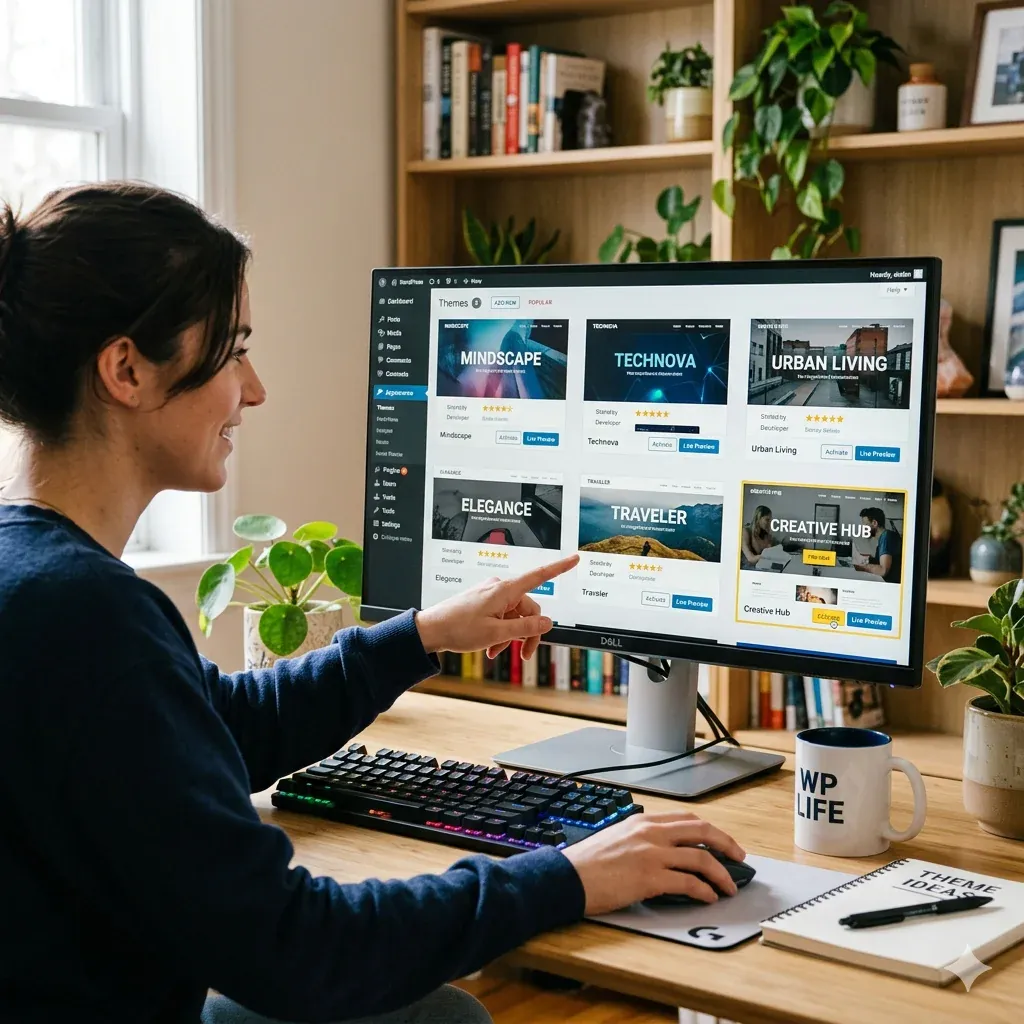
Every quality theme publishes demo websites. Browse through these carefully. Do the design styles match your brand vision?
Check the Reviews and Support
Search for the theme name along with terms like “support quality” and “update history”. The community is very vocal about which options are well supported.
Verify Plugin Compatibility
The theme you choose needs to work with your SEO plugin and contact form plugin. If you also want ongoing search visibility, consider pairing it with monthly SEO maintenance.
Consider the Long Term
Switching themes later is possible but time-consuming. Choose one from a developer with a proven track record.
How to Install a WordPress Theme
Installing a WordPress theme is similar to installing a plugin. From your WordPress dashboard, go to Appearance, then Themes, then Add New Theme. You can search the free directory, or click Upload Theme to install a premium option from a ZIP file. Once installed, click Activate to make it live. Always test in a staging environment before applying it to a live site. JWD Website Design manages this process carefully for our clients.
Your Theme and Your Brand
Your chosen theme is the starting point for your visual brand online, not the end point. A professional developer customises the colours, typography, spacing, and layout to match your brand identity. Read our guide on branding and website design to understand how these elements work together.
Getting the Right WordPress Theme for Your South African Business
At JWD Website Design, we take the WordPress theme decision seriously for every project. Our recommendation for almost all business websites is Divi, backed by our experience using it across dozens of South African business websites.
If you are starting a new website project, our website planning guide is a great first step. Explore our WordPress website design services to see how we build professional sites for South African businesses. Follow us on Facebook to see examples of our design work.
Ready to build on the right foundation? Request a free quote and we will recommend and set up the perfect theme for your business, or browse our website design packages to get started today.
Frequently Asked Questions
Will I lose my content if I switch WordPress themes?
No. Your content lives in the database, completely independent of the design. The theme simply wraps around that content and presents it to visitors. Because of this separation, you can switch WordPress themes and your content remains completely intact. Switching later is possible but time-consuming, so it is still worth choosing a well-supported theme from a developer with a proven track record from the start.
How much does a premium WordPress theme cost?
A quality premium theme typically costs between 50 and 200 US dollars as a one-time purchase. Premium themes are developed by professional companies and offer richer design options, dedicated support teams, regular updates and security patches, page builder integration, and better code quality and performance. For a professional business website, a free theme is rarely the right choice.
What is theme lock-in and why should I avoid it?
Theme lock-in happens when a WordPress theme bundles lots of functionality into itself instead of keeping those features in plugins. The problem is that if you ever switch themes, you lose all that bundled functionality. Good development keeps design in your theme and functionality in your plugins, so a theme handles how your site looks while plugins handle what it does.
How can I check a WordPress theme’s loading speed before I commit to it?
A heavy theme that loads slowly will hurt your Google rankings, so check before committing. Every quality theme publishes demo sites, and you can run the demo site through Google PageSpeed Insights or GTmetrix to see how it performs. While you are at it, browse the demo websites to confirm the design styles match your brand vision before deciding.
Is Divi suitable for mobile devices and Google’s mobile-first indexing?
Yes. Every page built with Divi is automatically optimised for mobile, tablet, and desktop screens, which is critical both for user experience and for Google mobile-first indexing. JWD builds all client websites on Divi by Elegant Themes, partly for this responsive-by-default behaviour, and when configured correctly Divi also loads fast for strong Core Web Vitals scores.